💚Twinby Premium subscription–a new dating experience💚
Content: text (16 symbols)
Available: 1
Uploaded: 19.09.2025
Positive responses: 49
Negative responses: 0
Sold: 295
Refunds: 3
$10.17
✅ Check if your Twinby app email is linked to your Twinby account. Open the Twinby app, then Settings - Login Methods - Email. If your email isn´t linked, you´ll need to link it. Also, if your email is only listed in the Google, Apple, or other sections, it´s a completely different authentication method. You´ll need to link that email address specifically to the email section.
✅ Send the unique 16-character code and the linked email address in the order chat; I´ll request a code for it. Once you receive the code, send it in the order chat.
🎉Are you ready for incredible connections and unique encounters? Then TwinBy Premium is your perfect ally in the world of love and friendship!
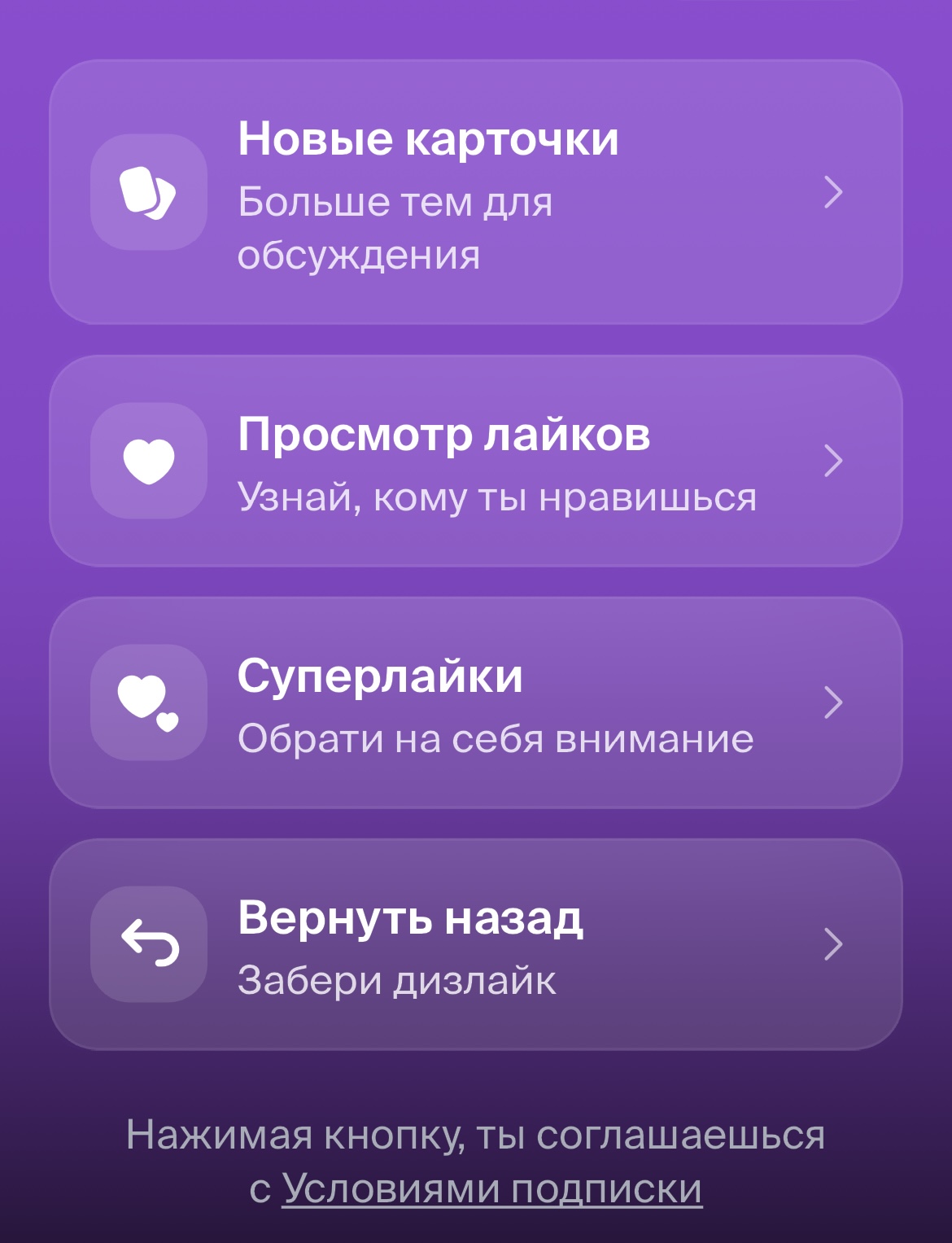
🔥What´s included in the subscription:
🌟 New cards – more topics for discussion;
❤️ View likes – find out who likes you;
📸 Super likes – attract ;
🔐 Take it back – take back your dislike.
✅ Send the unique 16-character code and the linked email address in the order chat; I´ll request a code for it. Once you receive the code, send it in the order chat.
🎉Are you ready for incredible connections and unique encounters? Then TwinBy Premium is your perfect ally in the world of love and friendship!
🔥What´s included in the subscription:
🌟 New cards – more topics for discussion;
❤️ View likes – find out who likes you;
📸 Super likes – attract ;
🔐 Take it back – take back your dislike.
What do you need to sign up for Premium?
- Pay for the required subscription;
- Chat with the 16-digit unique code you receive after payment;
- Provide the email address linked to your account (Settings - Login Methods - Email) or your email/password combination;
- Enjoy your Premium subscription!
🔶This is a manual subscription activation service.
⛔️If you have any difficulties, do not rush to leave negative feedback before contacting the chat! We will definitely answer and help you with activation, everything will work.
❗️No refunds are issued if the product does not suit you, was purchased by mistake, you refuse to follow the instructions, or your account does not allow you to perform the specified actions. Also, no refunds are issued if you change your mind or for any other reason would like to cancel the purchase.
- Pay for the required subscription;
- Chat with the 16-digit unique code you receive after payment;
- Provide the email address linked to your account (Settings - Login Methods - Email) or your email/password combination;
- Enjoy your Premium subscription!
🔶This is a manual subscription activation service.
⛔️If you have any difficulties, do not rush to leave negative feedback before contacting the chat! We will definitely answer and help you with activation, everything will work.
❗️No refunds are issued if the product does not suit you, was purchased by mistake, you refuse to follow the instructions, or your account does not allow you to perform the specified actions. Also, no refunds are issued if you change your mind or for any other reason would like to cancel the purchase.
01.10.2025 13:03:18
Все быстро и качественно!
19.09.2025 17:49:57
Очень быстро.
Сиюминутно!
Сиюминутно!
03.09.2025 15:18:46
Быстро)
23.08.2025 0:06:26
Все супер работает
31.07.2025 19:59:15
Все очень быстро!
Большое спасибо!
Большое спасибо!